Navigate like you're supposed to.
Click a folder. Its contents appear in the next column. You always see the full path — parent, current, children — without ever going back.
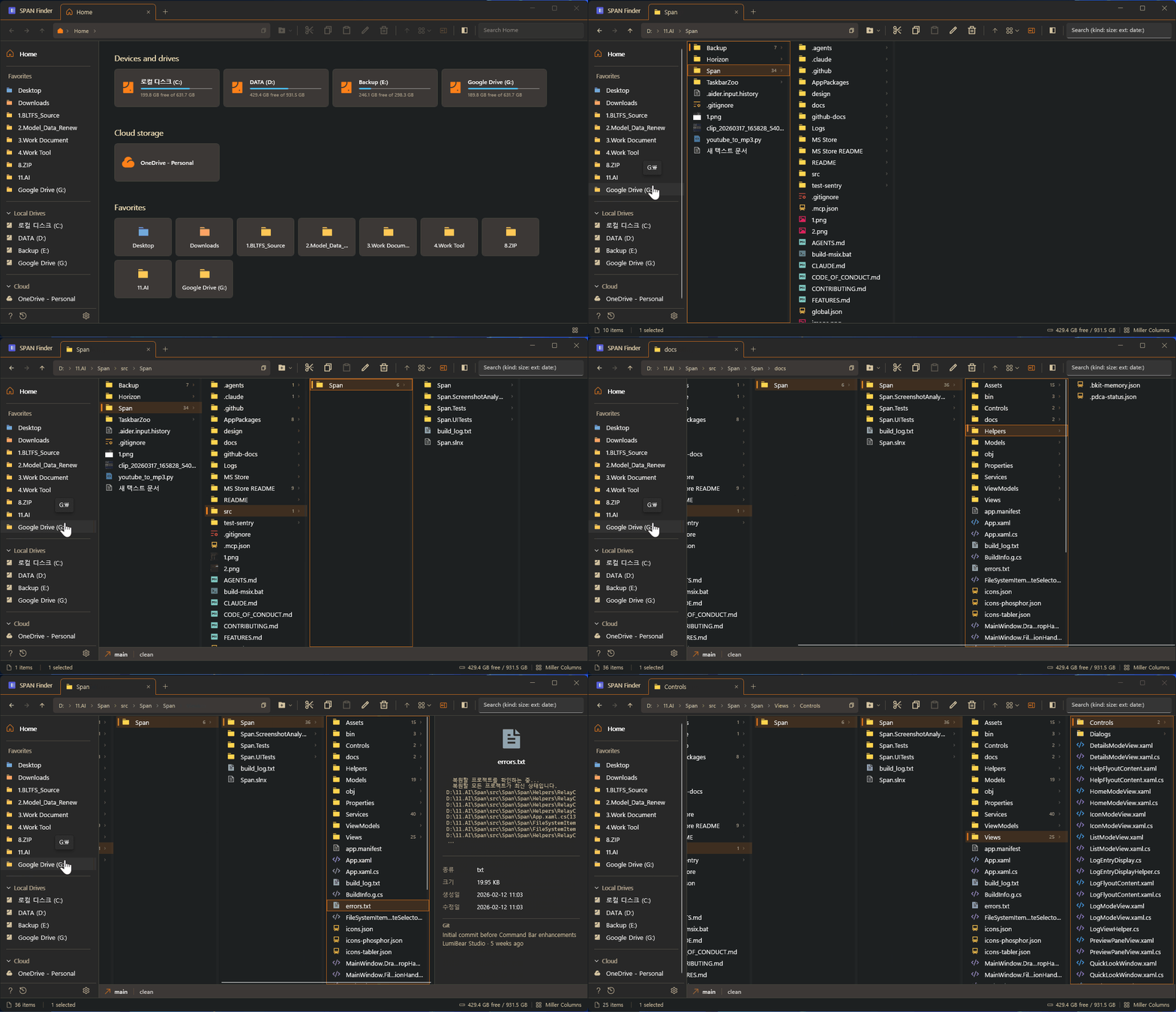
See where you are, where you came from, and where you're going — all at once. No more clicking back and forth.
Click a folder. Its contents appear in the next column. You always see the full path — parent, current, children — without ever going back.
150+ features. Everything Windows Explorer does — and everything it doesn't.
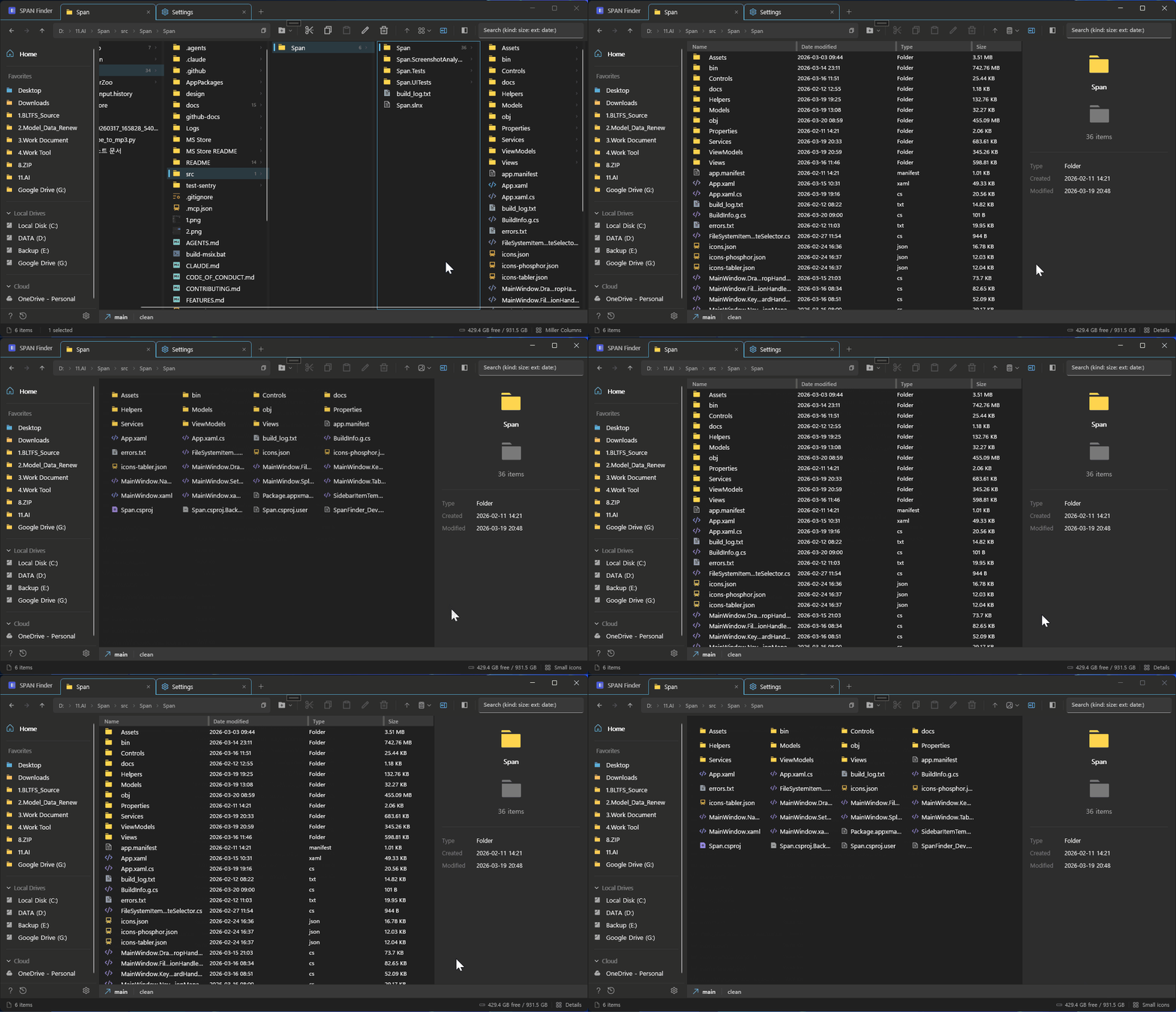
Miller Columns, Details, List, Icons — switch instantly with Ctrl+1 through 4. Each tab remembers its own view mode.
The File Shelf holds files from any folder while you browse — just like macOS Yoink. Stash files from three different drives, navigate to the destination, and move them all at once. No clipboard juggling, no back-and-forth.
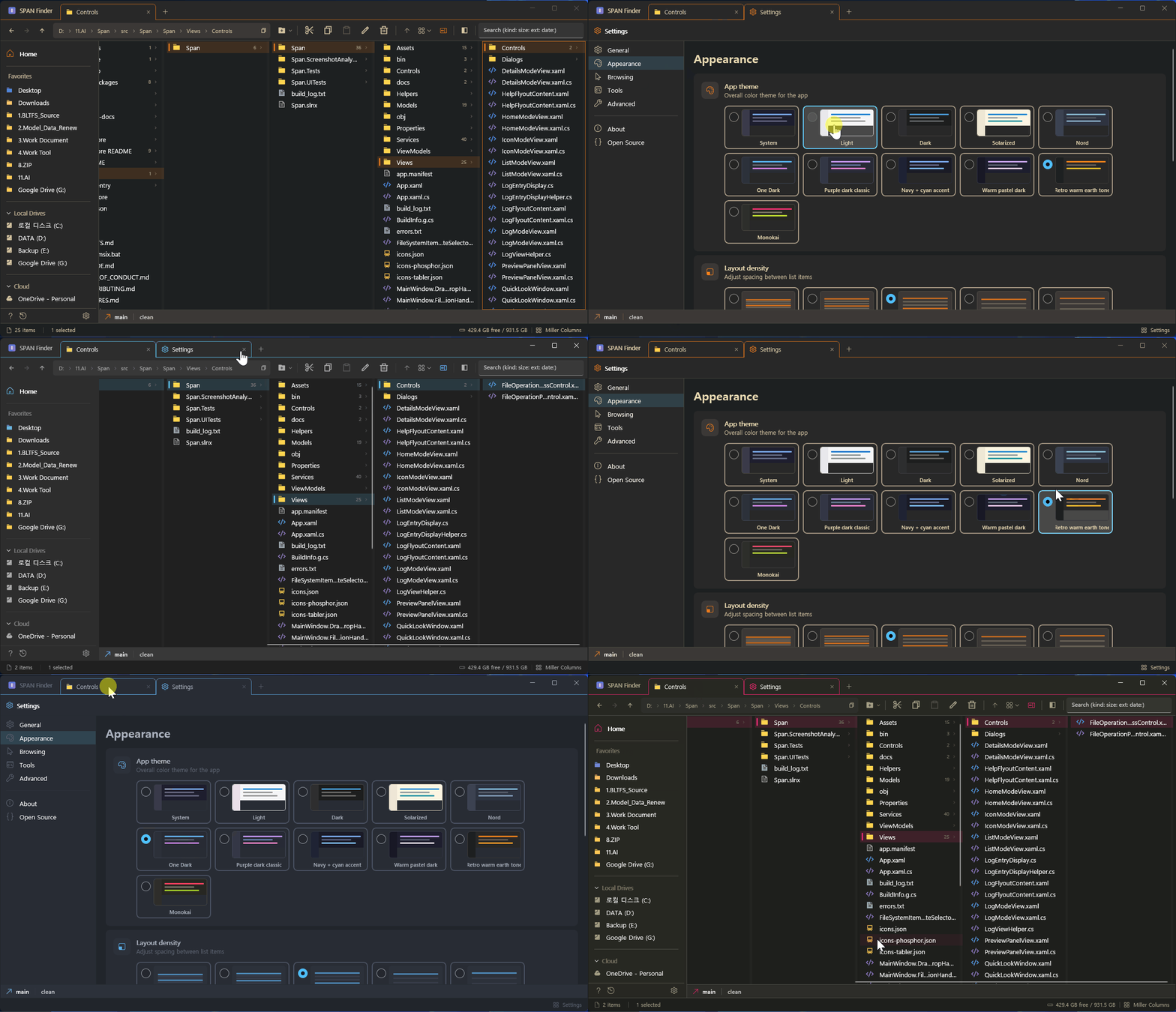
10 hand-tuned themes. Dracula, Tokyo Night, Catppuccin, Nord, Gruvbox — the ones you actually use in your code editor.
Developers. Designers. IT engineers. Anyone who touches thousands of files a day.
Every feature exists because someone needed it.
See the full folder hierarchy at once. Click a folder, its contents appear in the next column. Never lose context.
macOS Yoink-style holding panel. Stash files from any folder, navigate to the destination, then move or copy them all at once. Pinned items survive restarts.
Unlimited tabs with tear-off, duplication, and middle-click to close. Quit and relaunch — every tab exactly where you left it.
Save named tab layouts. Switch between "Work" and "Personal" in one click with Ctrl+Shift+W.
Press Space for Quick Look. Images, video, audio, code with syntax highlighting, PDF, hex dump, fonts — all built in.
30+ shortcuts, customizable bindings, type-ahead search. Your hands never leave the keyboard.
Dracula, Tokyo Night, Catppuccin, Gruvbox, Nord, One Dark, Monokai, Solarized, Light, Dark.
Dual-pane with independent view modes. Drag files between panes. Each pane gets its own preview.
Modified, Added, Deleted, Untracked — status badges right next to your files. Branch info in the status bar.
FTP/SFTP with saved credentials. OneDrive, iCloud, Dropbox sync badges. Paste files directly from RDP sessions.
Regex, prefix/suffix, sequential numbering. Select multiple files, press F2, rename them all at once.
Every file operation is tracked. Ctrl+Z to undo, Ctrl+Y to redo. Configurable history depth.
Browse, restore, or permanently delete recycled items — with full Miller Columns support.
See what you've been missing.
| Windows Explorer | SPAN Finder | |
|---|---|---|
| Miller Columns | No | Yes |
| File Shelf | No | Yoink-style — collect from anywhere, drop once |
| Multi-Tab | Basic (Win 11 only) | Full — tear-off, duplicate, session restore |
| Split View | No | Dual-pane, independent view modes |
| Workspaces | No | Save & restore named tab layouts |
| Preview Panel | Basic | 15+ types — video, code, hex, fonts, PDF |
| Themes | No | 10 themes — Dracula, Tokyo Night, Nord... |
| Git Integration | No | File status badges, branch info, commits |
| Batch Rename | No | Regex, prefix/suffix, numbering |
| Remote Connections | No | FTP, FTPS, SFTP with saved credentials |
| Keyboard Shortcuts | Limited | 70+ fully customizable shortcuts |
| Cloud Sync Badges | Basic overlay | Real-time — OneDrive, iCloud, Dropbox |
| 14K+ Items | Slows down | Async everything — zero lag |
Sentry for crash reporting only. No usage analytics, no tracking, no ads. All file paths scrubbed before sending. You can turn it off entirely in Settings.
Don't take our word for it — read the source.
Free. Open source. No strings attached.